UHR Payslip Not Working: Common Problems and How to Fix Them
Trying to check your UHR payslip when the portal isn’t working can be frustrating, especially when you need your salary statement for a bank application, SACCO, or personal records.
The issue may be due to incorrect login details, browser problems, or a temporary portal issue. Sometimes you can log in without any problem, but your payslip may still not show up, load, or download properly.
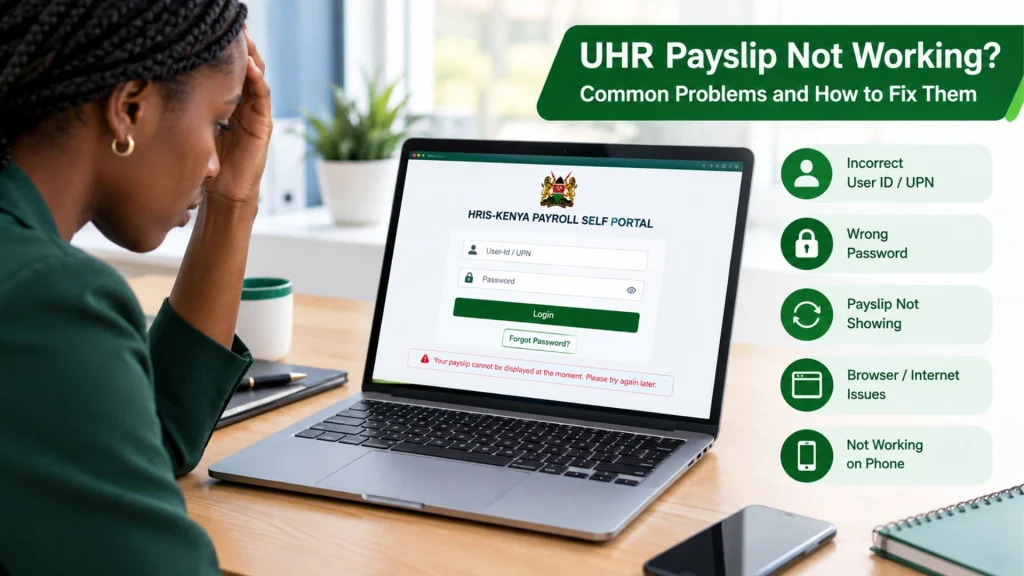
The good news is that you can fix many UHR payslip issues online through the official HRIS-Kenya Payroll Self Portal or by contacting your UHR support team.
This guide explains common UHR payslip issues and the simple steps you can take to restore access.
Why Is My UHR Payslip Not Working?
There isn’t always a single reason the UHR payslip portal fails to work. The problem can occur during login, after login, or when you try to view or download a payslip.
The sections below explain the most common problems and how to fix them.
Check Your UHR User-ID or UPN
One of the first things to check when your UHR payslip login is not working is your User-ID.
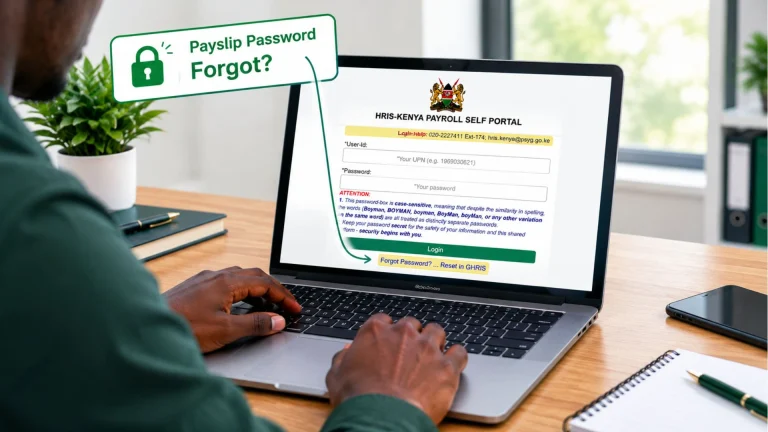
The official UHR payroll login page asks employees to enter their UPN and gives an example of a numerical UPN.
If you are entering an employee number, ID number, email address, or another detail instead of the correct UPN, the login may fail.
What should you do?
Check that:
Your UHR Password May Be Incorrect
A wrong password is another common cause of UHR payslip login problems.
An important detail on the official UHR portal: the password box is case-sensitive. That means uppercase and lowercase letters are treated differently. If you normally type your password automatically, check whether Caps Lock is on.
Also make sure you are not accidentally adding a space at the beginning or end of the password.
What should you do?
Before trying anything more complicated:
If you have forgotten the password, use the official reset process instead.
UHR Payslip Password Not Working? Reset It
If you cannot remember your UHR password, you do not necessarily need to create a new account.
The official UHR payroll login page provides a “Forgot Password?” option and directs users to reset their password through GHRIS.
What should you do?
Go to the official GHRIS service and look for the password recovery option.
Use the information requested by the official system and follow the instructions provided.
UHR Payslip Login Works but the Payslip Is Not Showing
Another common issue is that you log in successfully, but your UHR payslip does not appear.
This is different from a login problem. If you can enter the portal but cannot see the expected payslip, possible explanations include:
In this situation, first log out and sign in again. Then check whether other payslip periods are available. If previous payslips are visible but the latest one is missing, the issue may not be your login credentials.
If your login is working but the payslip is still missing, contact your HR or payroll office instead of repeatedly changing your password.
UHR Payslip Is Not Loading
Sometimes the portal opens, but the payslip page stays blank or continues loading. The issue may be due to your browser, internet connection, or a temporary website problem.
Try these basic solutions:
UHR Payslip Not Working on Your Phone
Mobile browsers can sometimes cause issues when accessing pages designed mainly for desktop use.
If your UHR payslip is not working on your phone, try the following:
If the portal works on a computer but not on your phone, the issue may be related to your mobile browser or device settings.
Should You Create a New UHR Account?
Usually, you should not create another account simply because you cannot log in.
If you already have an account, don’t create another one right away. First, find out whether the issue is with your password, User ID, account access, or the portal. Creating additional accounts without identifying the original issue may cause further confusion.
If you are a newly appointed employee who has never activated the account, follow the official registration or activation process instead. If you are a newly appointed employee who has never activated your account, follow the relevant official registration or activation process instead.
When Should You Contact UHR or HR?
You should consider getting official assistance if:
Conclusion
Your UHR payslip is not working? Dont Worry. In many cases, however, the issue can be traced to something simple such as an incorrect User ID, a case-sensitive password, browser trouble, or a temporary loading problem.
Start with the basics: confirm your UPN, check Caps Lock, and use the official password-reset process if necessary. If the normal troubleshooting steps do not solve the problem, use the official UHR support details or speak with your HR/payroll office.