UHR Payslip Registration in Kenya: How to Register and Activate Your Account
Trying to access your government payslip but not sure how UHR payslip registration in Kenya works? Finding the right portal, understanding your UPN, and knowing whether you need to register or activate your account can make the process longer.
But the solution is simple: use the official UHR portal (link) to access your payroll account and payslip. In the guide below, we will explain how to register for a UHR account, log in, and access your payslip online.
We also cover common registration and login issues, so you know what to do if something goes wrong.
Important: UHR payslip access and new-employee registration are not necessarily the same step. New employees may need to complete the relevant GHRIS registration or UPN activation process before using the HRIS-Kenya Payroll Self Portal.
Who Needs to Register for UHR Payslip Access?
UHR payslip access is intended for eligible employees whose employment and salary records are maintained within the relevant Government of Kenya public-service payroll system. If you are a newly appointed government employee, you must first have your employee record activated or registered before you can access payroll self-service.
Your information must correspond with the employment records held by the relevant ministry, department, or government institution.
Requirements for UHR Payslip Registration
Before starting the process, make sure you have:
Security Note: Only enter your personal and employment information on the official Government of Kenya website. Never share your password, OTP, National ID number, KRA PIN, or other login details with anyone offering to register or activate your account for you.
How to Register on the UHR Payslip Portal (Step-by-step guide)
To complete your UHR Kenya GoKe payslip online registration, follow the steps below:
Step 1: Open the Official GHRIS Portal
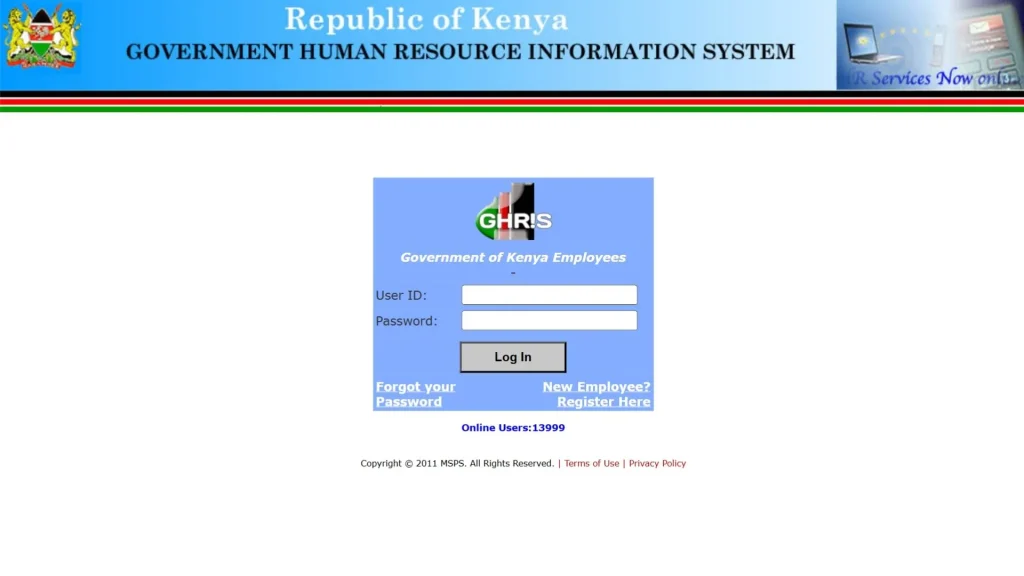
Open your preferred browser and visit the official Government Human Resource Information System (GHRIS) portal ghris.go.ke/loginonly.aspx.
The GHRIS portal provides government employee HR services, including the relevant new-employee registration process.
Step 2: Click “New Employee? Register Here”
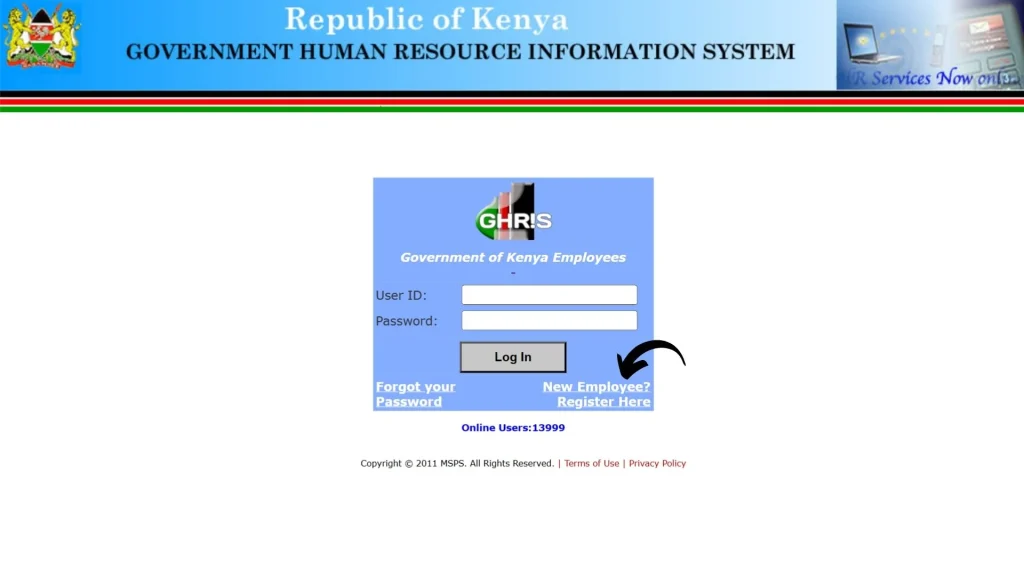
On the GHRIS login page, look below the login section for the “New Employee? Register Here” option.
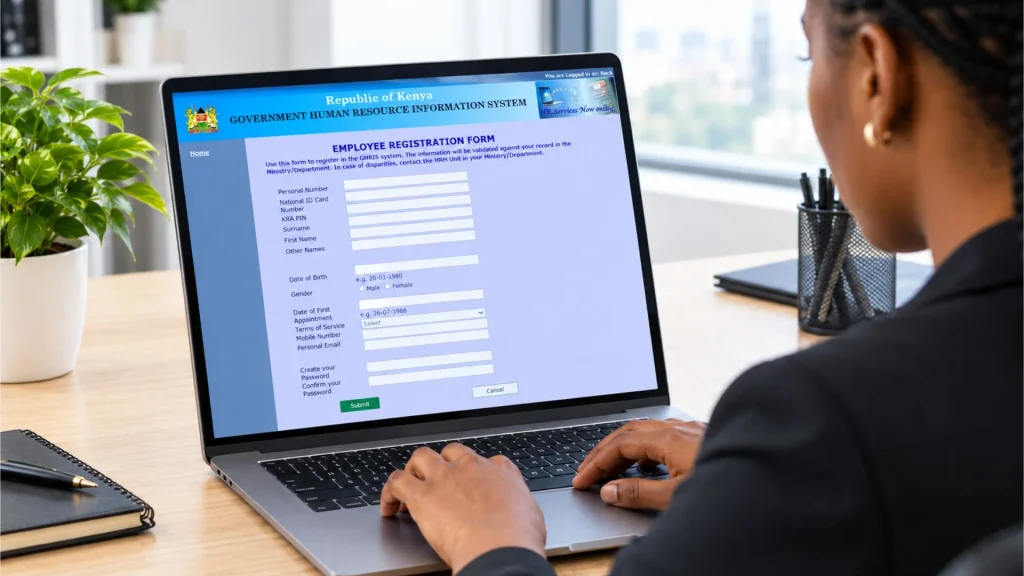
Click this link to open the employee registration form. Here, you will provide the information needed to create your access to the government HR system.
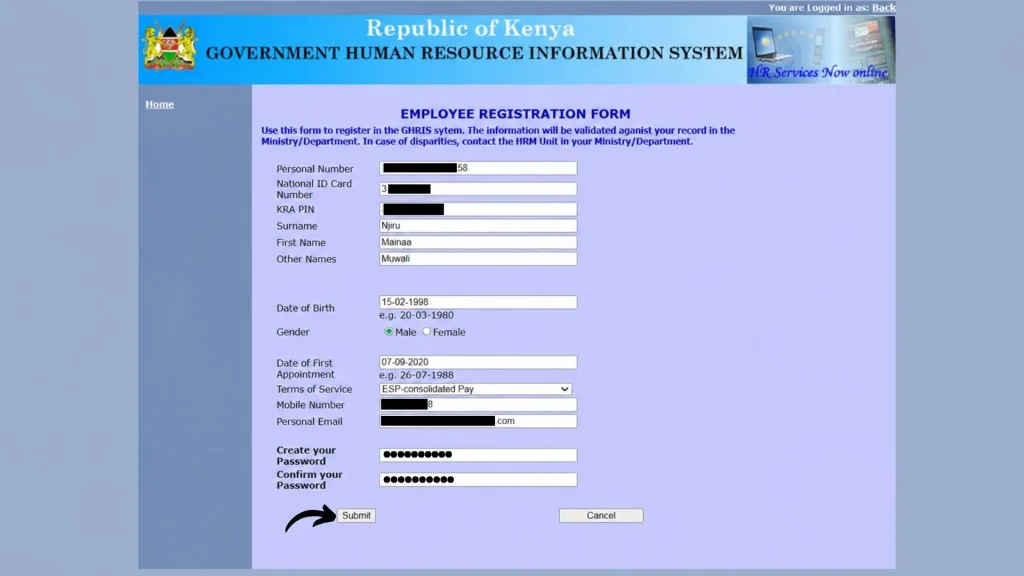
Step 3: Enter Your Employee and Personal Details
Depending on the information requested on the current form, you need to provide details such as your:
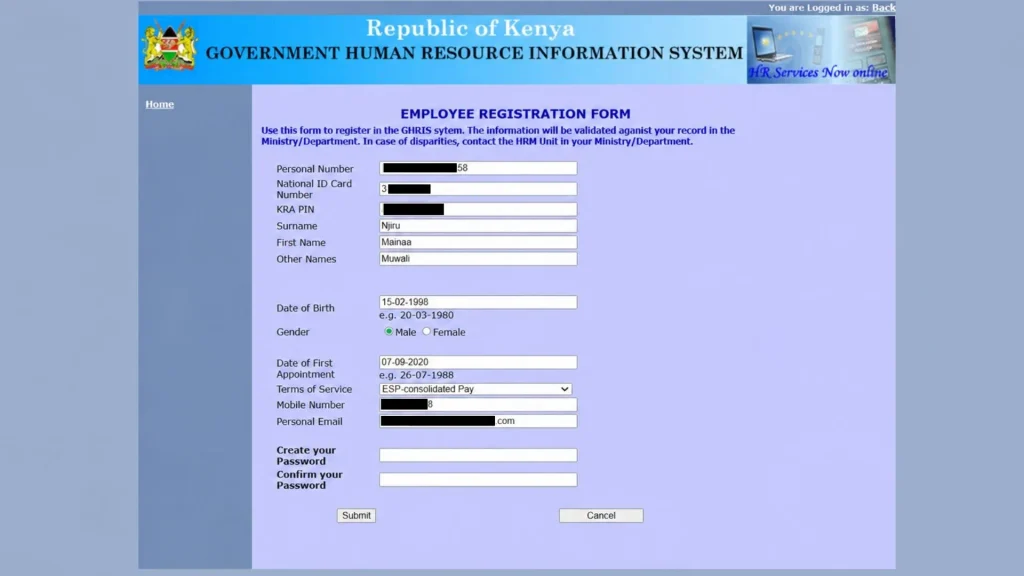
Enter each detail carefully and make sure it matches the information held in your official government employment records.
Step 4: Set Up Your Password
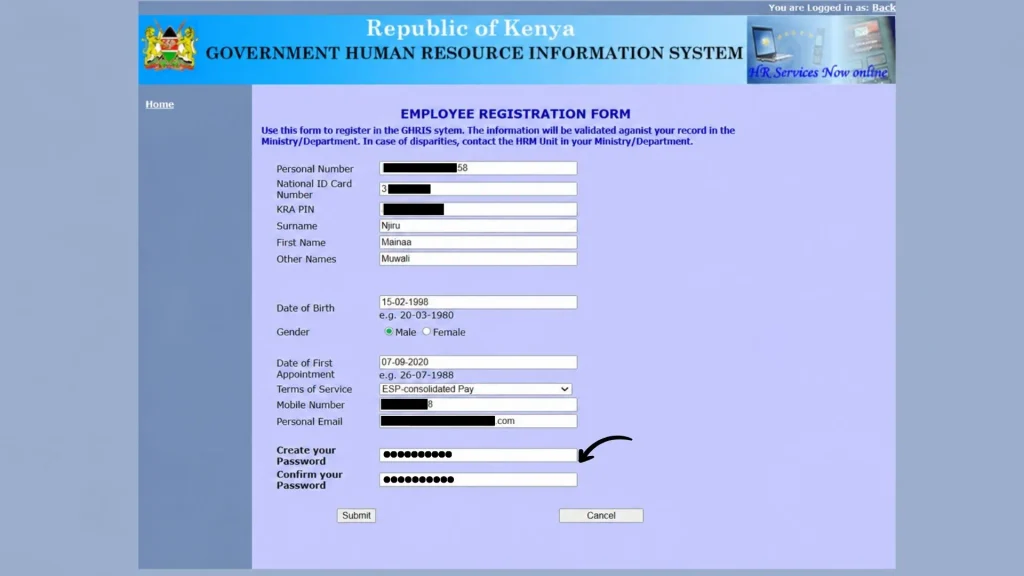
After providing the required information, you will be asked to create a password for your account.
Create a strong password and follow any password requirements shown by the portal. Avoid using easily guessed personal information.
Step 5: Review Your Information and Submit the Form
Before submitting your registration, take a moment to check all the information you have entered. Make sure all information is correct, then click on the Submit button.
Step 6: Use HRIS Portal to Access Your Payslip
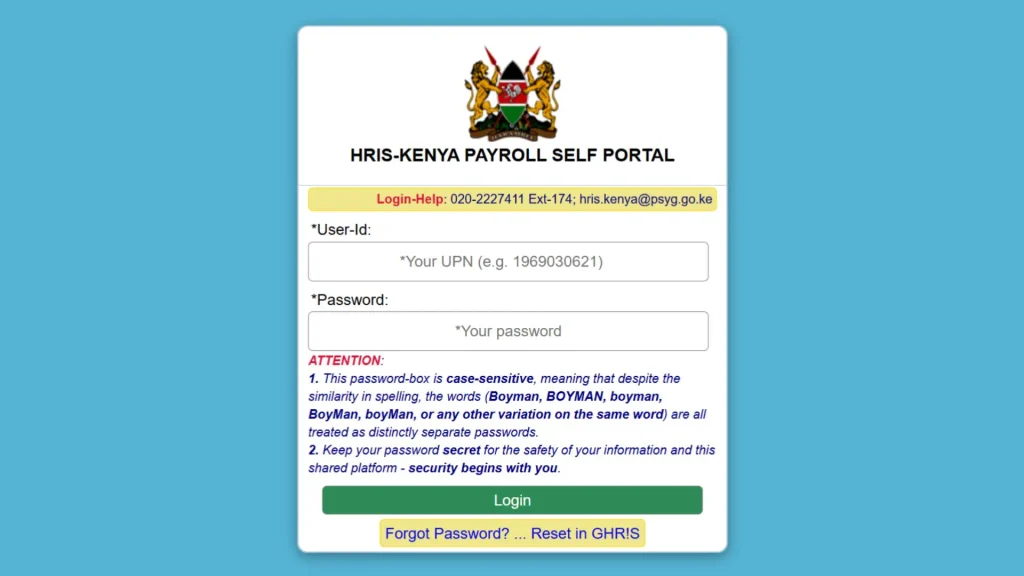
After completing registration, go to the relevant payroll self-service portal to access your salary information. The current UHR portal is identified as the HRIS-Kenya Payroll Self Portal. It uses your UPN (User ID) and password when you log in.
Once your account is active and your payroll information is available, you can use the portal to view your payslip online.
How Does GHRIS Link With UHR Payslip?
GHRIS and UHR are used for different parts of the Government of Kenya’s HR and payroll environment. GHRIS provides broader government employee HR services, while the UHR portal is identified for payroll-related self-service.
The employee information and account details used across these government systems help connect an employee’s HR record with their payroll access. This allows eligible employees to use their UPN and password to access available payslip information through the UHR portal.
What Is a UPN?
UPN is the User Principal Name used as the user ID to access the current UHR/HRIS-Kenya Payroll Self Portal. Your UPN is linked to your government employee account and is used with your password when you log in.
Once your UPN is active, you can use it as your User ID to log in to the UHR portal and access available payroll and payslip information.
Common UHR Payslip Registration Problems
Even when the system is working normally, employees can face registration and login problems. Here are some of the most common ones:
Why Can’t My UHR Registration Details Be Verified?
Your details may not be verified if they do not match your official government employment records.
Check your Personal Number, National ID, KRA PIN, and other information carefully. If the details are correct but the problem continues, contact your HR or payroll office.
You Do Not Know Your UPN
The current UHR portal uses a UPN as the user ID. If you have recently been employed and have not received or confirmed your UPN, ask your HR/payroll office for assistance.
Your Password Is Not Working
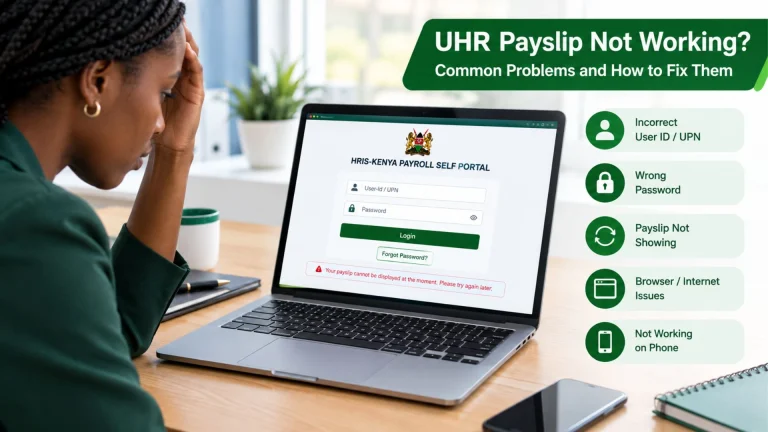
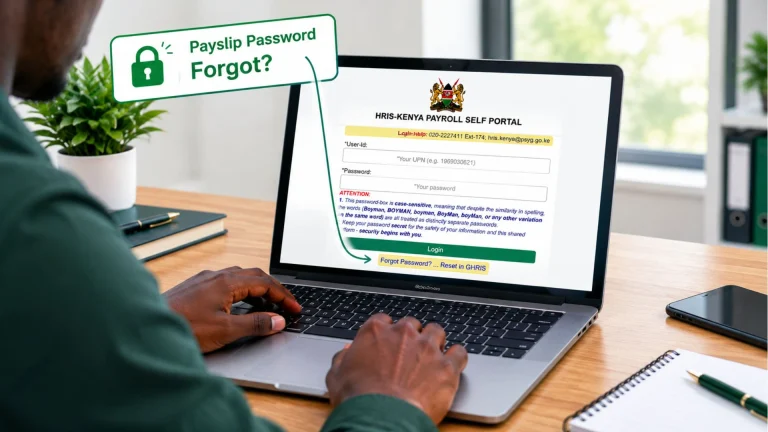
Remember that the UHR login page states that the password is case-sensitive. Check your capitalization and make sure you are not accidentally adding spaces. If you have forgotten the password, use the official recovery process.
You Registered but Cannot See a Payslip
Registration or account activation does not necessarily mean that a monthly payslip will immediately appear. Your salary record must also be available in the payroll system.
If you were recently appointed, transferred, or added to payroll and your payslip is missing, contact your HR or payroll office.
The Website Is Not Working
Government portals can occasionally experience maintenance, technical problems, or heavy traffic. Before assuming that your account is the problem, try again later.
Conclusion
UHR payslip registration makes it easier for government employees in Kenya to access their salary information online. Once your account is active, you can log in, check your payslip, and access other available services.
If you have trouble with registration, your UPN, or your payslip, contact your HR or payroll office for help. Always use the official government portals and keep your login details safe.